
✨ Key Features
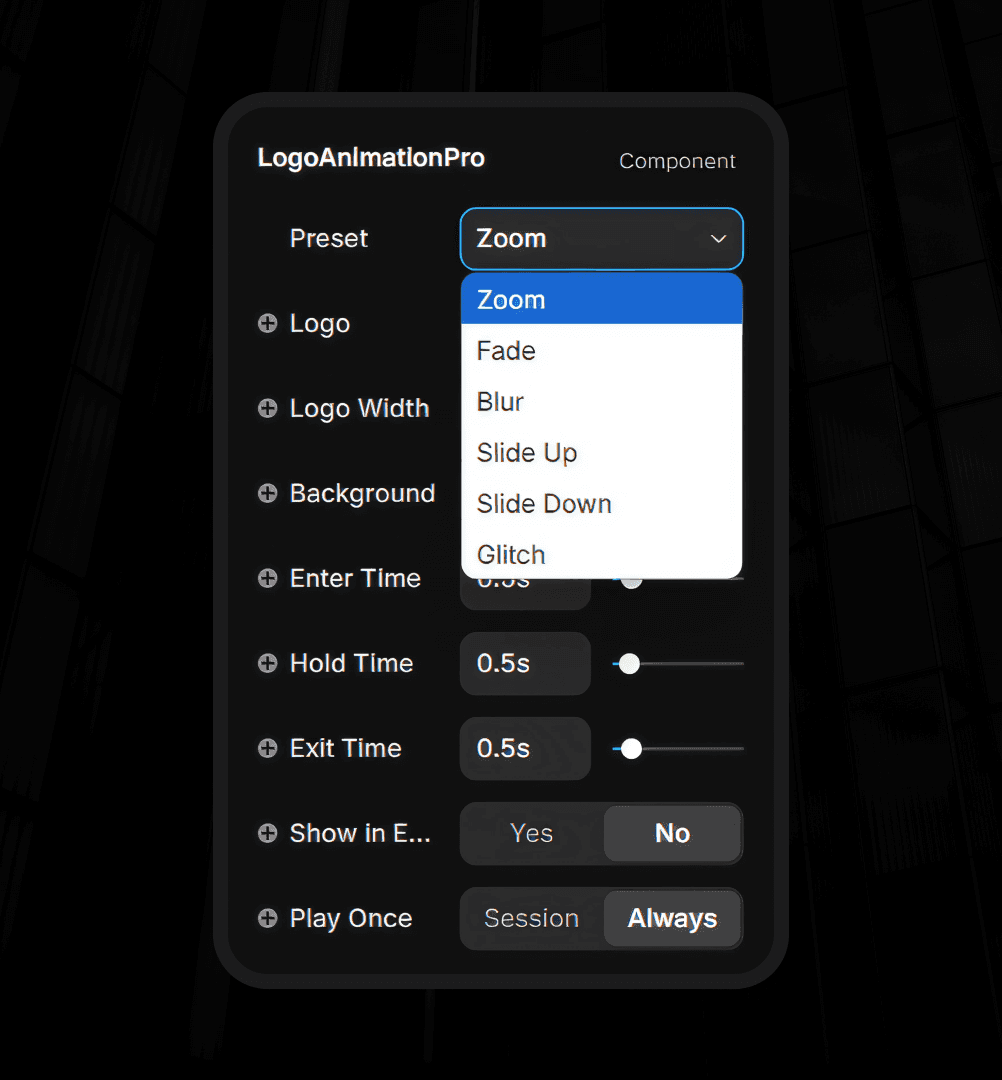
6 Cinematic Presets Instantly switch between Glitch, Zoom, Blur, Fade, Slide Up, and Slide Down to match your brand’s unique energy. Each preset is mathematically tuned for smooth motion.
Smart Session Memory Includes a built-in "Play Once" toggle using
sessionStorage. This ensures returning visitors aren't forced to watch the intro repeatedly, keeping the user journey frictionless.Advanced Timing Controls You have total control over the Entrance, Hold, and Exit durations. This allows you to perfectly sync the reveal with the rhythm of your site's content.
Editor-Friendly Workflow Features a "Show in Editor" toggle. This allows you to hide the overlay while designing your page so you don't have to delete or move the component to see your work.
Performance Optimized Built with a precise 5-stage state machine and
Animate-Presence. This ensures hardware-accelerated, glitch-free execution that won't slow down your site's initial load.
🎛️ Property Controls
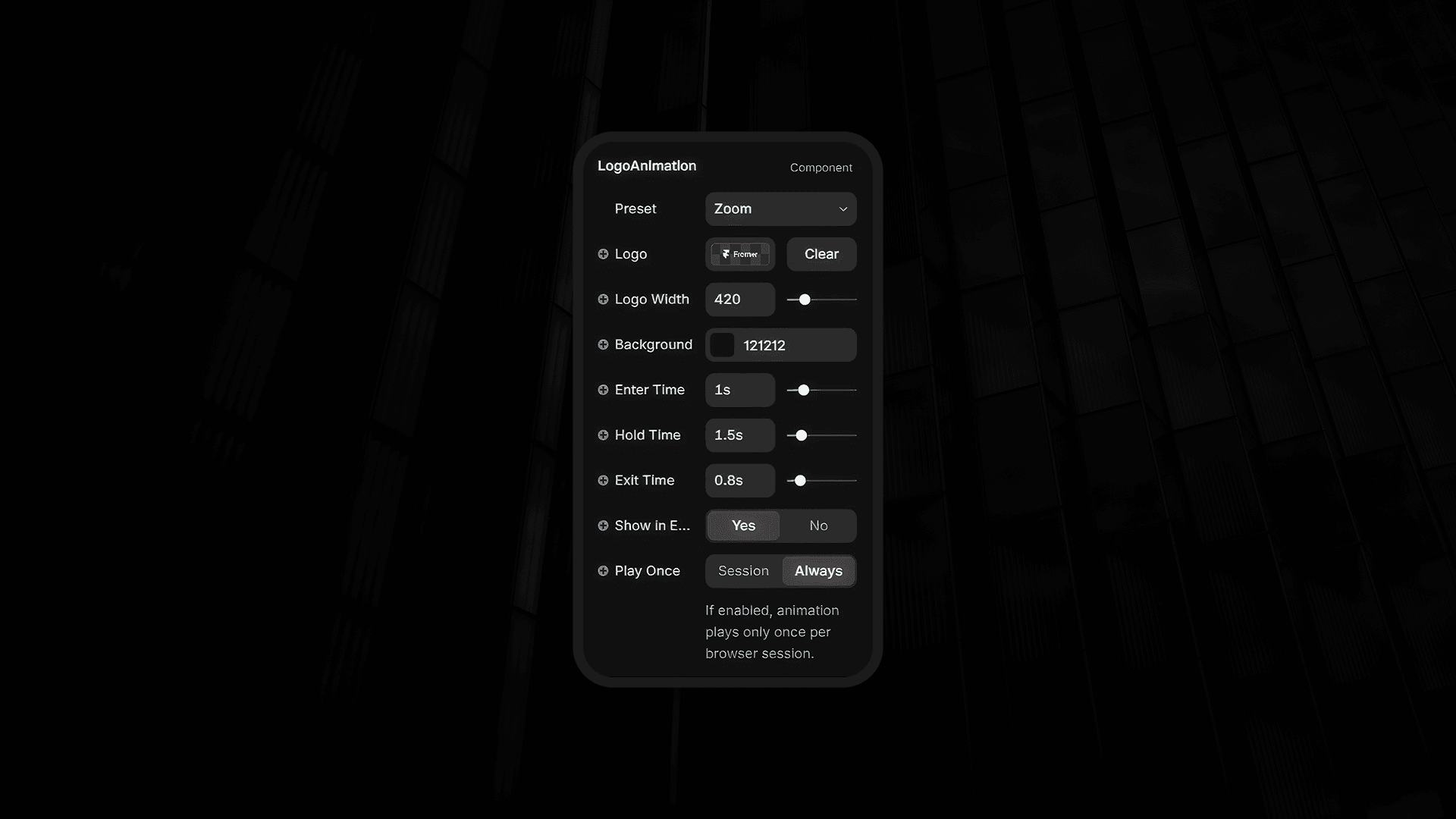
Preset (Dropdown) Select the animation style that fits your brand aesthetic. Options range from the high-energy Glitch to the premium, soft Blur.
Logo (Image) Upload your brand mark. This field supports high-resolution SVG, PNG, or JPG files to ensure your logo looks crisp on all retina displays.
Logo Width (Number) Set the exact scale of your logo on the screen in pixels. You can adjust this from a subtle icon size to a bold, screen-filling hero mark.
Background (Color) Choose the solid fill color that hides the website during the animation sequence. Match this to your brand's primary palette for a professional look.
Timing (Sliders) Individual control for Enter, Hold, and Exit speeds. These are measured in seconds, allowing for micro-adjustments to the pacing.
Play Once (Toggle) Choose between Always (plays on every refresh) or Session (uses browser memory to play only once per visitor session).
🛠️ How to Use
Placement: Drag the component onto your homepage. Since it is coded with
position: fixed, it will automatically cover the entire viewport regardless of its layer position.Configuration: Upload your logo and select a Preset. Adjust the Background Color to mask your site content effectively. Note: Using a transparent PNG or SVG is highly recommended.
Refinement: Fine-tune the timing. A Hold Time of 1.5s is generally the "sweet spot" for brand recognition before the site is revealed.
Positioning: Add the component in your layout template to show across all pages. The component layer won't interfere with your live website once the animation is complete. Keeping the layer set to
Absolutewithin your layout template is recommended.
Don't have an account?